


Are you a new trader thinking about opening a brokerage account at BlackBull Markets Broker, but not sure how to start?
Opening a brokerage account might seem challenging, but do not worry, we got you covered. In this article, we will show you step by step on how to open an account with the BlackBull Markets Broker.
Opening an account with BlackBull Markets Broker, step by step
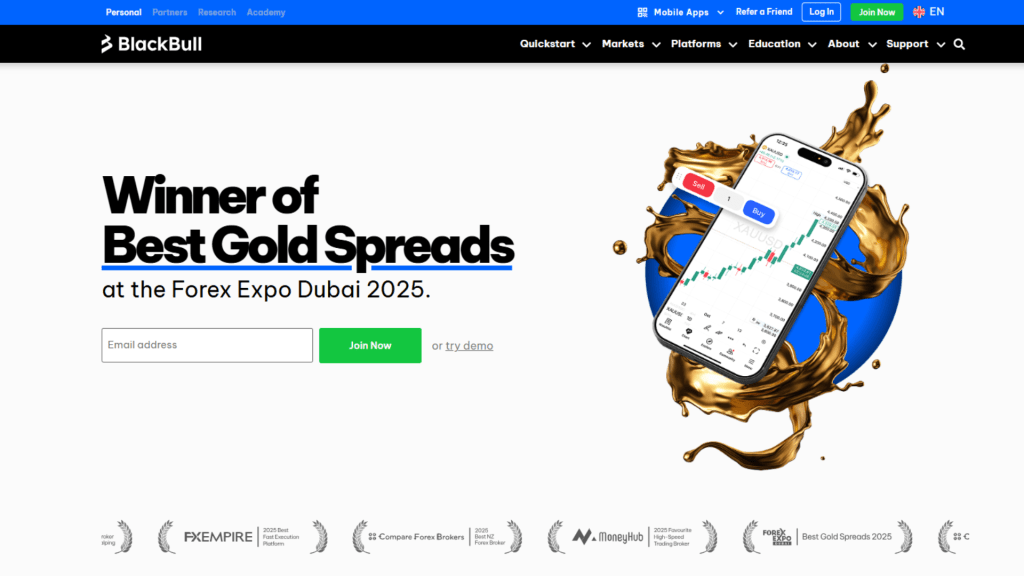
First, go to the BlackBull Markets Broker website by clicking here. You should be able to see a page like the following (figure 1). It might vary based on the country you are accessing the website from.
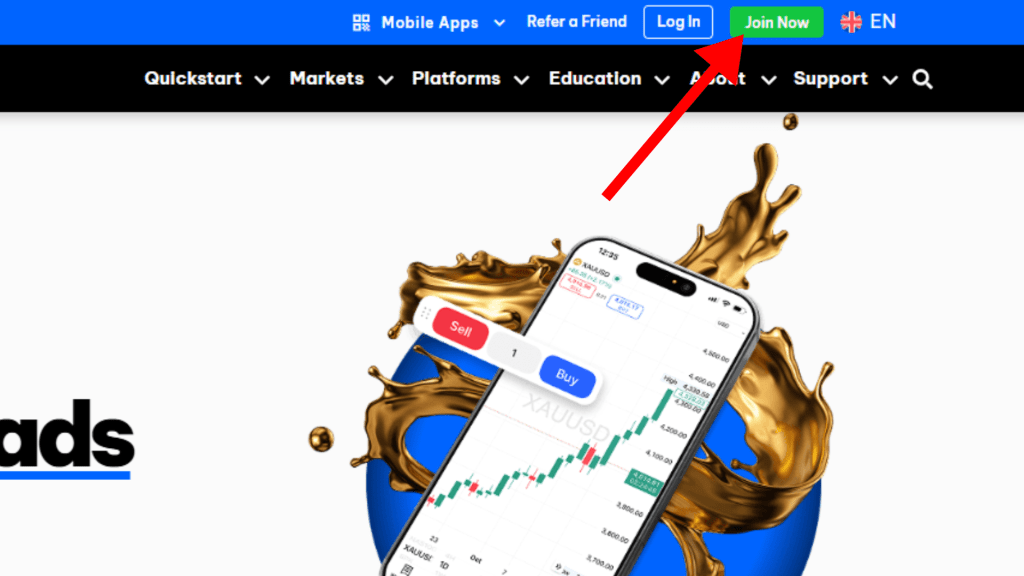
Next, click on the Join Now button in the top right corner of the page, as shown in the figure below (figure 2).
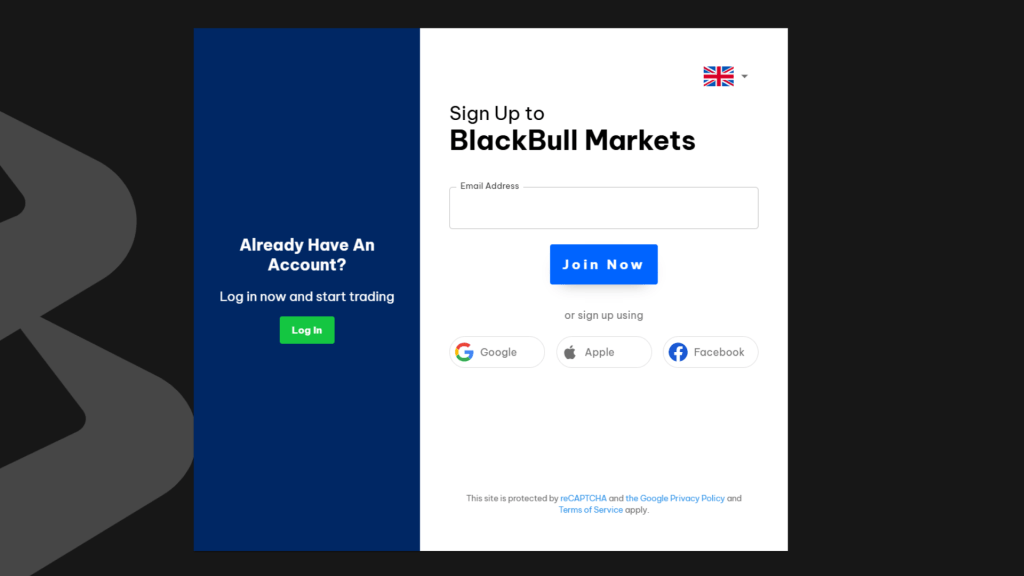
Then, you should be taken to a page that is similar to that of the figure below (figure 3). Here, sign up for an account. You can sign up with Google, Apple or Facebook as well.
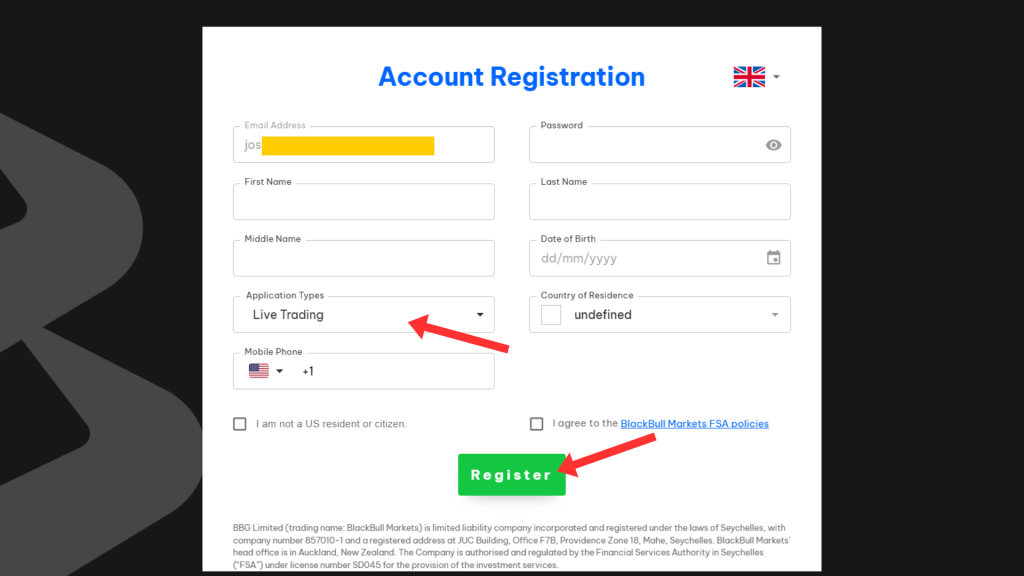
After signing up, you will be taken to the account registration page (figure 4). Here fill in all the details and click on the register button. For the trading application type, we will select live trading.
After registering your account and verifying your email with a code they send you, you should see a page like the following (Figure 5). Here you can also see the progress of your application.
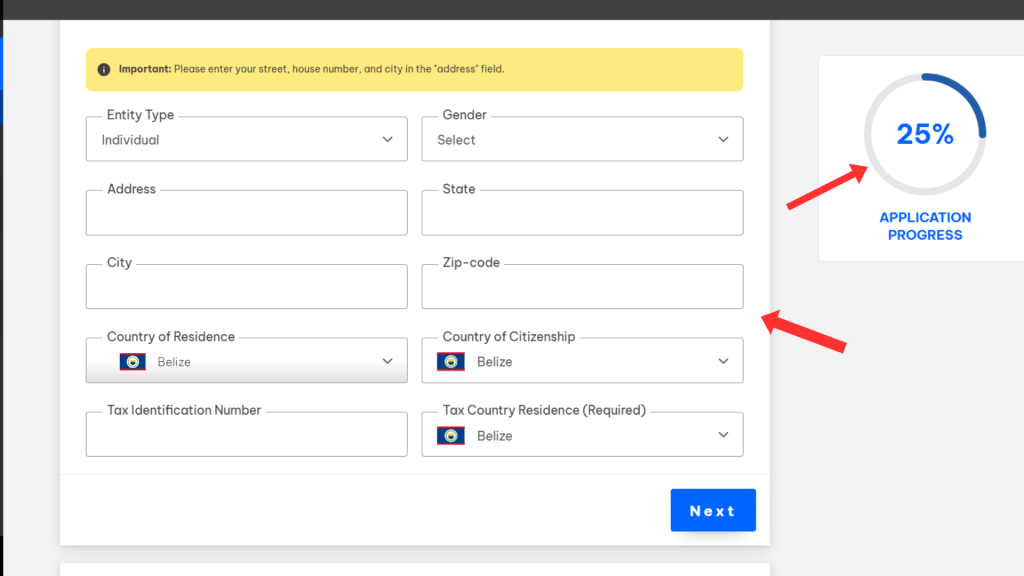
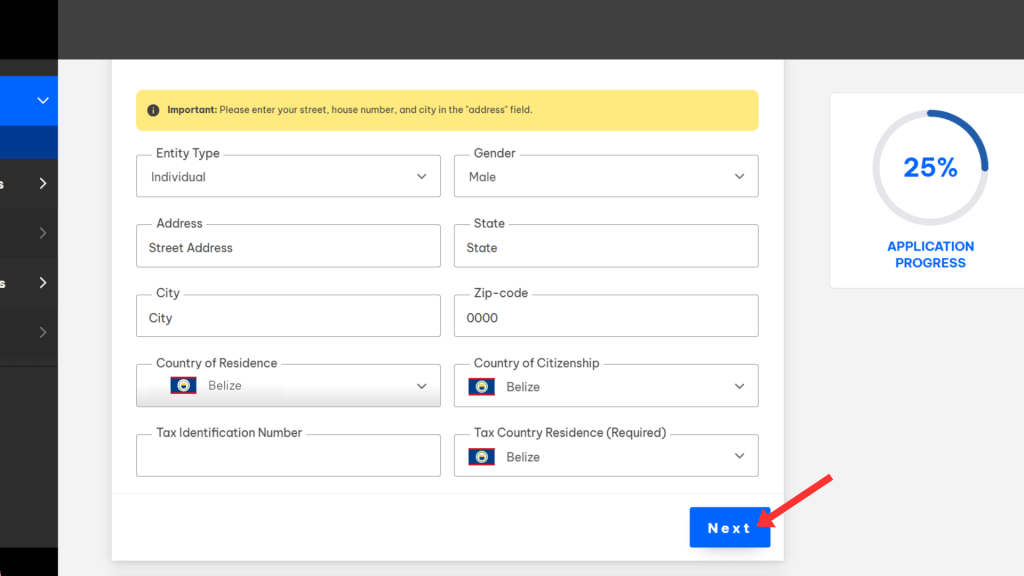
Here you need to select the gender and enter your address. After entering the details, click on the next button as shown in the figure 6.
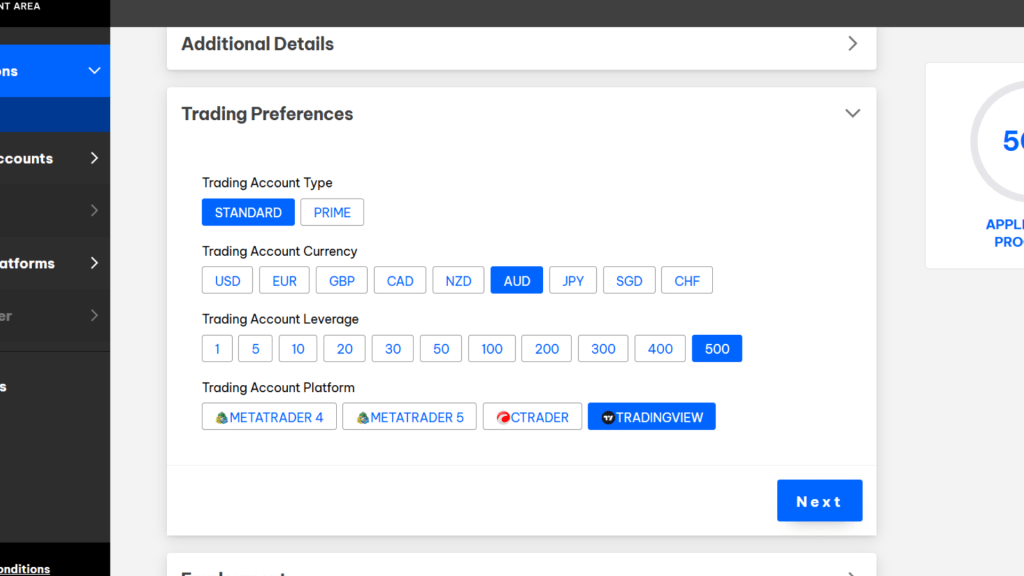
After clicking on next, you will see a section like the following (Figure 7). Here you need to select your trading account type, trading account currency, trading account leverage and the trading account platform. It is important to note that the maximum leverage allowed will vary based on the country that you are trading from.
What account type to choose with BlackBull Markets Broker?
BlackBull Markets provides two main account types for retail traders, the ECN Standard account and the ECN Prime account. The ECN Standard account is a zero-commission account that is suitable for traders who hold positions for longer, like swing traders. Conversely, the ECN Prime account is a low-spread account specifically designed for scalpers or high-frequency traders.
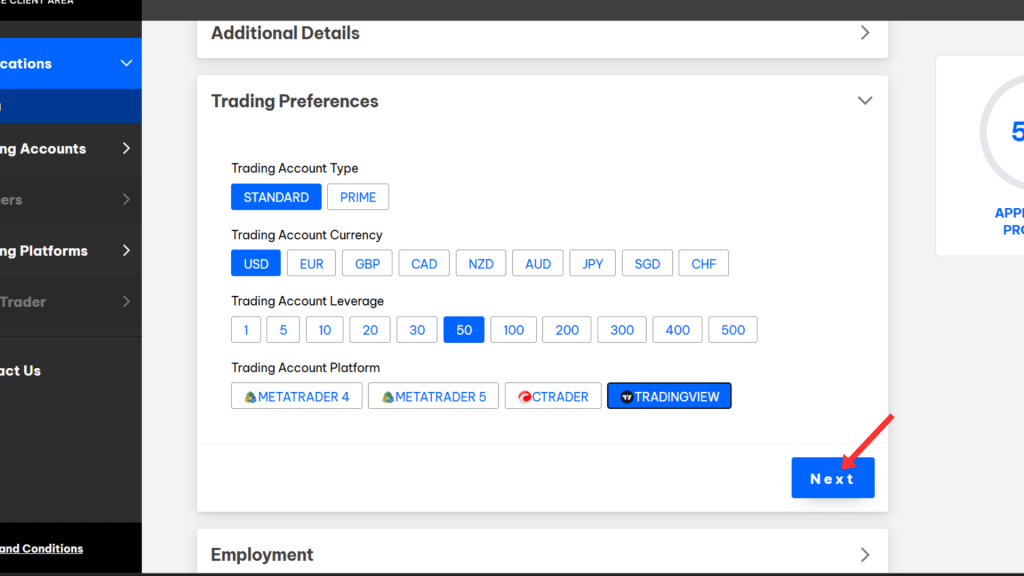
For this tutorial, we will select the standard account. After selecting all your trading preferences, click on the next button as shown in figure 8.
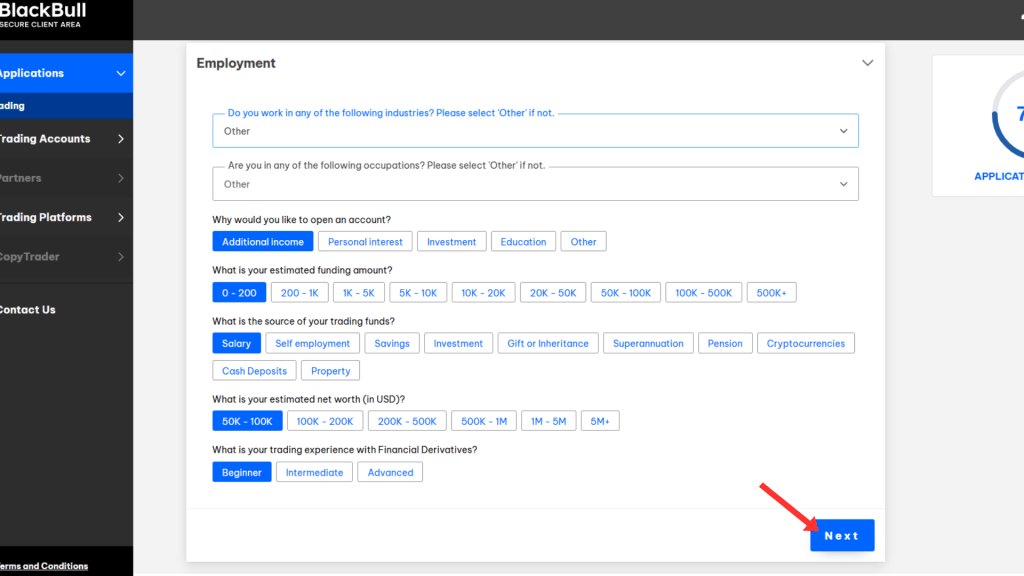
After clicking, next you will see a section where you need to fill out your personal employment details (figure 9). After filling these, click on the next button.
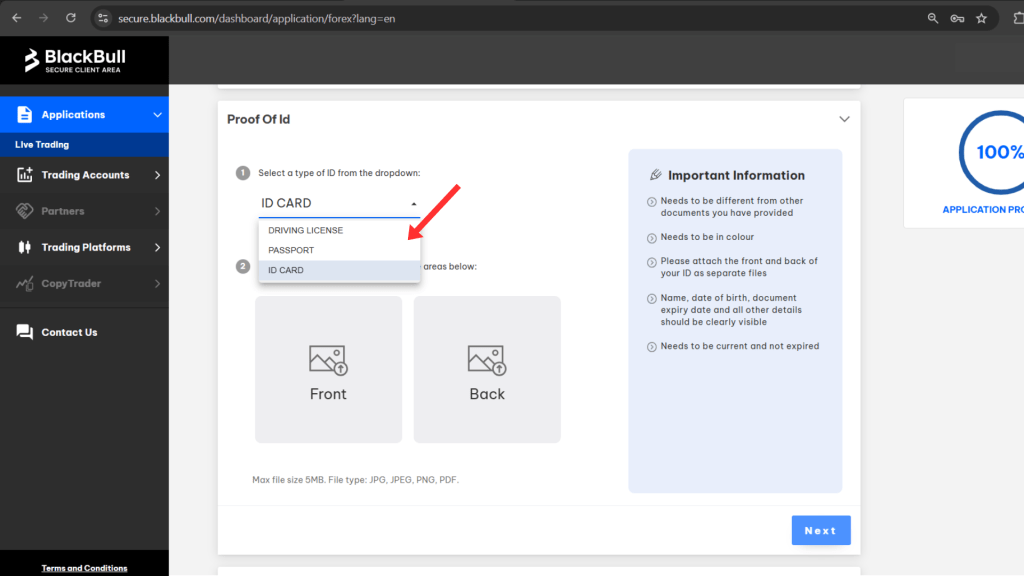
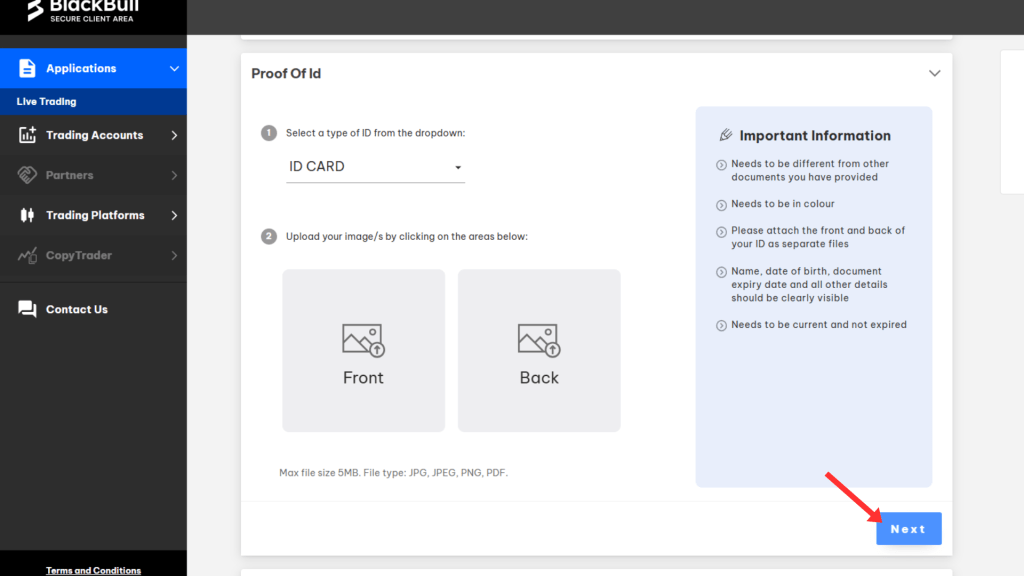
Then, you will see the section to provide proof of your identity. Here you need to select your preferred proof among, driving license, passport and id card as shown in figure 10. After uploading your preferred id, click on the next button as shown in figure 11.
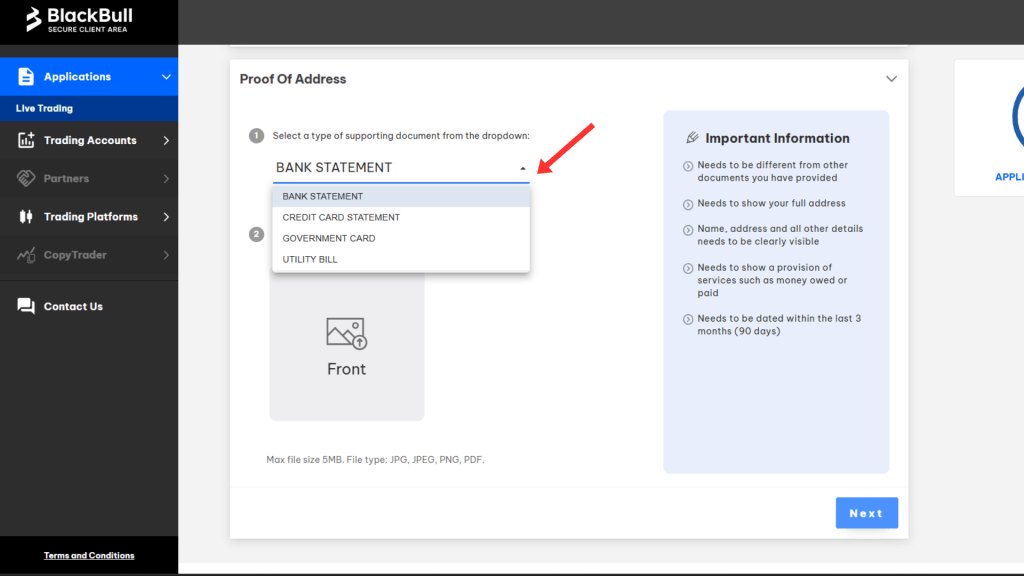
After clicking on the next button, you will see a section for proof of your address. Here you can select between, bank statement, credit card statement, government card or utility bill as shown in figure 12. After that, click on next as shown in figure 13.
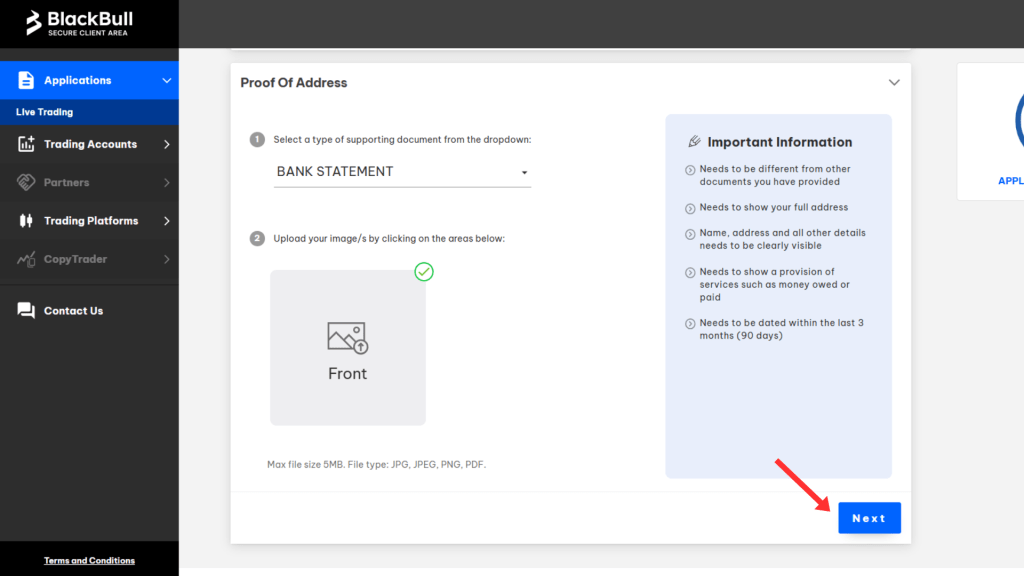
After a submitting the details, you can now fund your account.
Funding your account
To fund your account click on the “Fund Now” button as shown in the following figure 14.
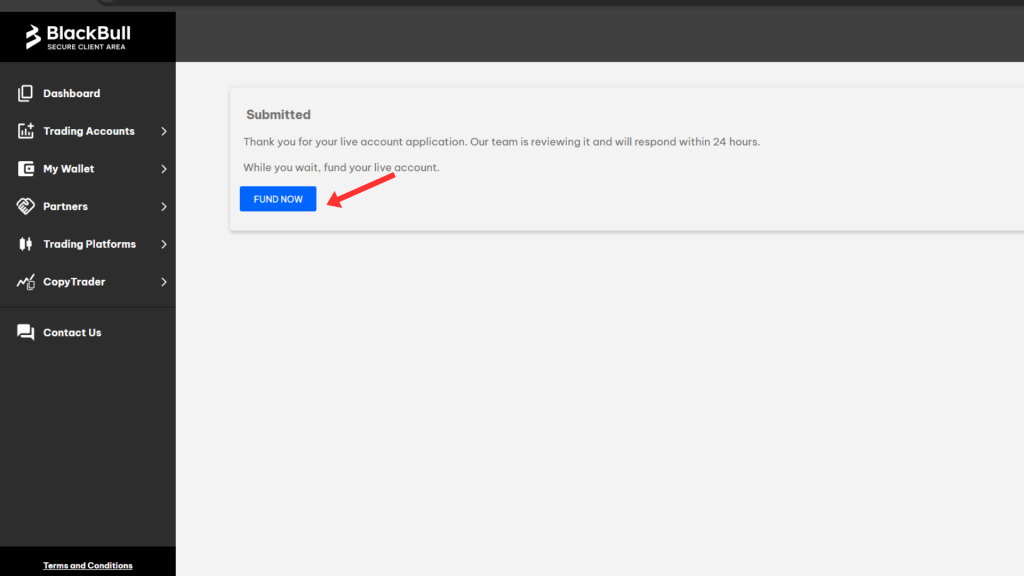
After clicking on the Fund Now button, you will be taken into a page like the following (figure 15).
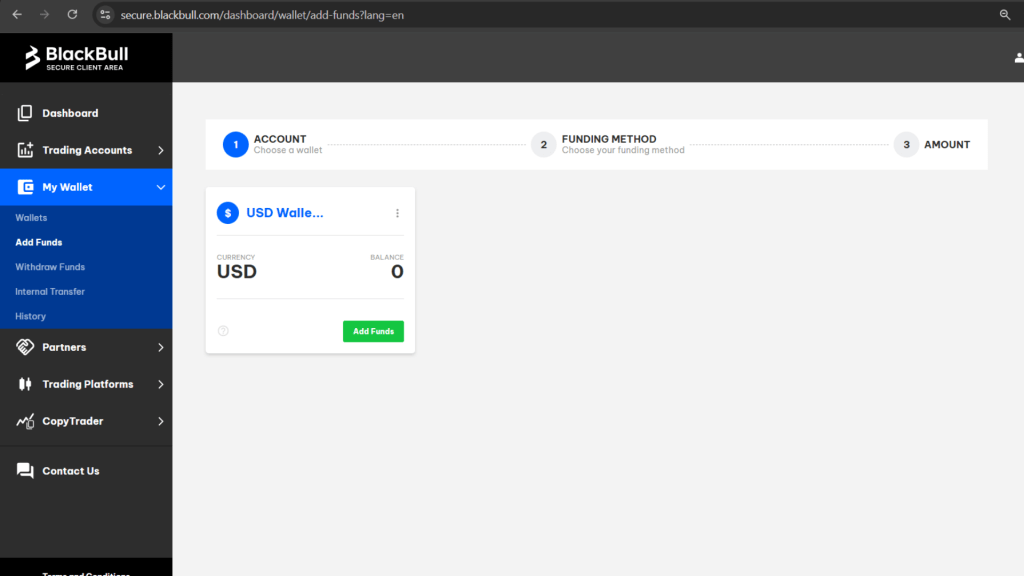
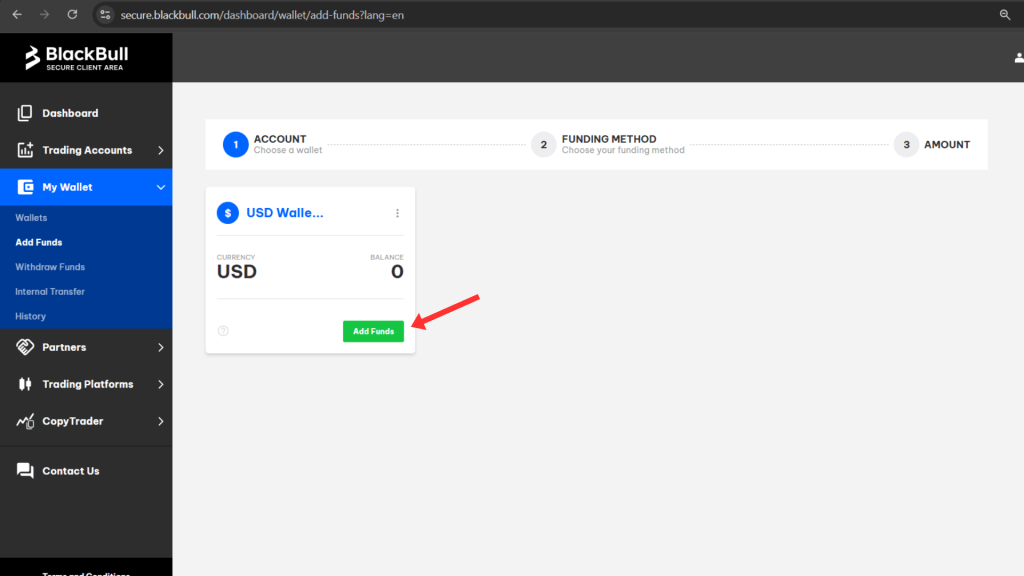
Then click on the add funds button as shown in figure 16. Then you will be taken into a page where you need to select the funding method (Figure 17). For this example, we will select Skrill as the preferred method.

After selecting your preferred method, you will be taken to page similar to that of figure 18. Here you can type the amount you want to deposit. Then confirm and submit. It is important to note that this page will vary based on the type of funding method you select.
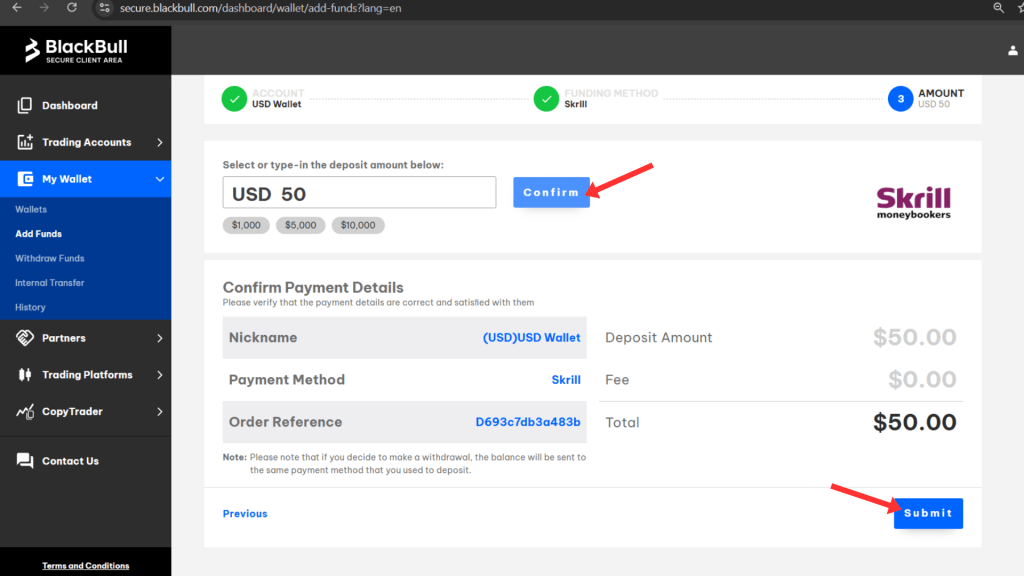
After that, click on the submit button. You will be taken into the specific E-wallet or bank account to finalize depositing your funds.
Conclusion
In this article, we took you step by step through the account creation process with the BlackBull Markets broker. As seen, creating an account with the BlackBull Markets Broker is a simple process.